Controller smart home is transforming the way we interact with our living spaces, offering seamless automation and enhanced convenience. This technology streamlines various devices and systems within the home, enabling users to manage everything from lighting to security through a single interface.
With the rise of smart home controllers, homeowners can now connect multiple devices, regardless of brand or protocol, fostering a new level of interoperability and efficiency. As these controllers evolve, they are becoming essential tools for creating a personalized and fully automated home environment.
Smart Home Controller Overview
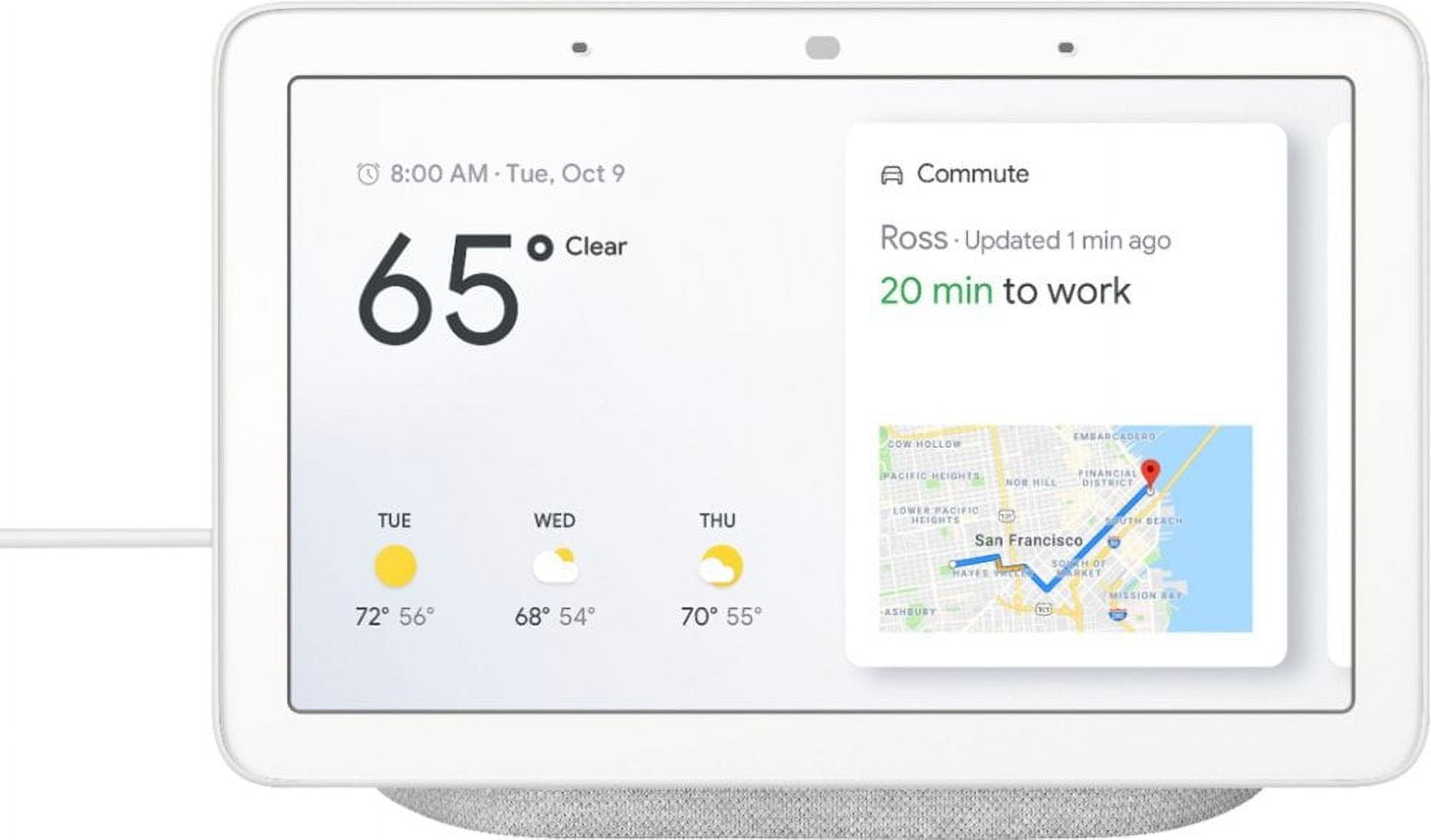
The concept of a smart home controller serves as the central hub that connects and manages a variety of smart devices within a home environment. This technology enables users to control everything from lighting to security systems efficiently and conveniently through a single interface, typically a smartphone application or a dedicated control panel. The primary functions of a smart home controller include device management, automation of tasks, and enhancing communication between devices to create a seamless user experience.
Smart home controllers utilize multiple communication protocols to ensure compatibility and efficient operation across various devices. These protocols dictate how devices communicate, allowing for coordination and integration. Common protocols include:
Types of Protocols Used by Smart Home Controllers
The effectiveness of smart home controllers is heavily reliant on the protocols they support. Understanding these protocols is essential for optimal performance and interoperability among devices. Here are several key protocols commonly used in smart home technology:
- Zigbee: A low-power, wireless protocol designed for short-range communication, ideal for connecting battery-operated devices.
- Z-Wave: Another low-power wireless protocol that operates in the sub-1 GHz range, which helps reduce interference from Wi-Fi networks.
- Wi-Fi: Widely used for smart devices, offering high data transfer rates and the ability to connect directly to the internet without a hub.
- Bluetooth: Used for short-range connections, particularly in portable and mobile devices, enabling quick pairing and data transfer.
- Thread: An IPv6-based protocol focusing on low-power devices and offering enhanced security through its mesh network capabilities.
Interoperability among smart home devices is crucial for creating a cohesive and user-friendly smart home ecosystem. This interoperability allows devices from different manufacturers to communicate and work together, enhancing the overall functionality and convenience for users.
Importance of Interoperability among Smart Home Devices
The significance of interoperability can be highlighted through several key points that underline its necessity in smart home setups:
- Seamless Integration: Devices from various brands can function together, allowing users to create customized automation routines.
- Enhanced User Experience: A unified interface simplifies control and reduces the complexity of managing multiple devices.
- Cost Efficiency: Consumers are not limited to one brand, which promotes competition and can lead to more affordable options and innovative solutions.
- Future-Proofing: As technology evolves, the ability to incorporate new devices without major overhauls is essential for long-term satisfaction.
- Increased Security: Interoperable systems can enhance security protocols, ensuring devices can communicate potential threats effectively.
Interoperability among smart home devices is foundational to ensuring that a diverse range of products can collaborate effectively, providing users with a truly smart living experience.
Popular Smart Home Controllers: Controller Smart Home

The landscape of smart home technology is constantly evolving, with numerous options available for consumers seeking to streamline their home automation systems. Smart home controllers serve as the central hubs that connect various devices, allowing seamless management and monitoring. Understanding the most popular controllers in the market is essential for making informed decisions when setting up or upgrading a smart home.
Smart home controllers vary significantly in features, compatibility, and user experience. Below is a detailed comparison of some of the leading smart home controllers available today.
Top Smart Home Controllers
The following list highlights popular smart home controllers, detailing their features, specifications, advantages, and disadvantages.
-
Amazon Echo Plus
The Echo Plus is equipped with a built-in Zigbee hub, enabling direct communication with compatible smart devices. It supports voice commands through Alexa, making it user-friendly.
Choosing the right health coverage is crucial for safeguarding your well-being. Exploring the options for the best health insurance can help you find a plan that fits your needs while offering peace of mind. A suitable policy not only covers medical treatments but also ensures you’re prepared for unexpected health issues, providing financial security when you need it most.
Advantages: Seamless integration with Alexa, built-in Zigbee hub, and extensive device compatibility.
Disadvantages: Limited to Amazon ecosystem, and privacy concerns regarding voice activation.
-
Google Nest Hub
The Nest Hub provides a touchscreen interface alongside voice control via Google Assistant. Its ability to display information visually is a significant advantage for users who prefer interactive controls.
When it comes to protecting your vehicle, understanding your options for car insurance is essential. This type of coverage can offer financial support in case of accidents, theft, or damage. By comparing policies and understanding the details, you can make an informed decision that keeps you and your car safe on the road.
Advantages: User-friendly interface, visual display of smart home status, and compatibility with numerous devices.
Disadvantages: Limited local control without internet access, and reliance on Google services.
-
Samsung SmartThings Hub
SmartThings Hub allows for a wide range of device compatibility and supports Z-Wave, Zigbee, and Wi-Fi. This versatility makes it suitable for diverse smart home setups.
Advantages: Wide compatibility with various protocols, robust automation capabilities, and extensive community support.
Disadvantages: Initial setup can be complex, and some users report connectivity issues.
-
Apple HomePod mini
The HomePod mini integrates well with the Apple ecosystem and uses HomeKit for device management. It offers high-quality audio as an added benefit.
Advantages: Excellent sound quality, seamless integration with Apple devices, and strong security protocols.
Disadvantages: Limited compatibility with non-Apple devices, and higher price point compared to competitors.
-
Hubitat Elevation
The Hubitat Elevation focuses on local processing for automation, reducing reliance on cloud services and enhancing response times. This makes it appealing for users prioritizing privacy and speed.
Advantages: Local processing for faster automation, strong privacy features, and extensive customization options.
Disadvantages: Steeper learning curve for new users, and smaller ecosystem compared to larger brands.
Setting Up a Smart Home Controller
Setting up a smart home controller is a crucial step in creating a seamless automation experience in your living space. This process ensures that all your smart devices can communicate effectively, allowing you to manage them from a central hub. Whether you’re a tech enthusiast or a novice, understanding the installation and configuration steps is essential for optimizing your smart home ecosystem.
The installation of a smart home controller generally involves several key steps, which can vary slightly depending on the specific model and brand. However, most setups will follow a similar pattern that includes physical installation, software configuration, and device integration. The following steps Artikel a typical setup process to guide you through the installation.
Installation and Configuration Steps
Begin with preparing your workspace and ensuring you have all necessary tools. Most smart home controllers will come with specific installation instructions; however, the general process typically entails:
1. Choose the Location: Select a central location in your home for the controller to maximize communication with your devices. Ensure it is near a power outlet and within range of Wi-Fi.
2. Power Up the Device: Plug in the smart home controller to a power source. Some models may require batteries, in which case, insert them as directed in the user manual.
3. Connect to Wi-Fi: Use the controller’s app or the onboard interface to connect to your home Wi-Fi network. Input your Wi-Fi credentials securely.
4. Install the App: Download the companion app on your smartphone or tablet. This app will be essential for managing your smart home settings.
5. Create an Account: If prompted, create a user account to access the smart home features and services.
6. Configure Settings: Follow the in-app instructions to configure settings such as device names, rooms, and automation preferences.
7. Add Smart Devices: Using the app, begin adding compatible smart devices. Ensure that each device is powered on and ready for pairing.
8. Test Connectivity: After adding all desired devices, test their connectivity by controlling them via the app to ensure everything is functioning correctly.
Troubleshooting Guide for Common Setup Issues
During the setup process, users may encounter various issues. Below are common problems and solutions to rectify them, ensuring a smoother setup experience.
– Device Not Found: Ensure the smart device is powered on and within range of the controller. Restart both the smart controller and the device if necessary.
– Wi-Fi Connectivity Issues: Confirm that the Wi-Fi credentials entered are correct. If issues persist, try rebooting your router and reconnecting the controller.
– App Crashes or Bugs: Ensure the app is updated to the latest version. If crashes continue, reinstall the app after clearing the cache.
– Slow Response Times: Check for too many devices connected to the network. Consider upgrading your router if performance issues continue, as bandwidth may be insufficient.
– Integration Failures: Some devices may not be compatible with certain controllers. Verify compatibility through the manufacturer’s website to avoid integration failures.
Performance Optimization Tips
To enhance the efficiency of your smart home controller, consider the following optimization tips:
– Regular Updates: Keep your controller’s firmware and the accompanying app updated to benefit from new features and security patches.
– Network Management: Use a dedicated Wi-Fi band for your smart devices, particularly if they require significant bandwidth. This can reduce contention with other devices on your network.
– Device Placement: Avoid placing the controller near obstacles like walls or large furniture that may impede signal strength. Position it in an open area for better connectivity.
– Automation Routines: Create automation routines that streamline operations. This could involve scheduling devices to operate during specific times to optimize energy usage and performance.
– Monitor Performance: Utilize built-in monitoring tools within the app to keep track of device performance and connectivity issues, allowing for timely adjustments.
By following these steps, troubleshooting common issues, and implementing performance optimization tips, you can significantly enhance your smart home experience, making it both effective and enjoyable.
Future Trends in Smart Home Technology
As smart home technology continues to evolve, several emerging trends are poised to redefine the landscape of home automation. The integration of advanced technologies into smart home controllers holds the potential to enhance user experience significantly, making homes more efficient, secure, and responsive to the needs of their inhabitants. From artificial intelligence to the Internet of Things, these innovations will shape the future of smart living.
The rise of the Internet of Things (IoT) is a fundamental trend that will impact smart home controllers. As more devices become connected, interoperability among different brands and products will become crucial. This interconnectedness will allow for seamless control and automation of various home functionalities, enhancing user convenience. Additionally, the development of 5G technology will support faster and more reliable communication between devices, facilitating real-time responses and updates.
Impact of AI and Machine Learning, Controller smart home
Artificial intelligence and machine learning are transforming the capabilities of smart home controllers. These technologies enable devices to learn from user behavior and preferences, resulting in tailored experiences that adapt over time. Smart home systems will increasingly use AI algorithms to analyze data from various sensors and devices, leading to improved energy efficiency, enhanced security measures, and better overall home management.
For instance, AI-powered smart thermostats can analyze historical temperature data and user patterns to optimize heating and cooling, leading to significant energy savings. Similarly, AI can enhance security systems by identifying unusual patterns in surveillance footage, alerting homeowners to potential threats.
Predictions for Future Automation and Control
Future predictions for smart home automation indicate a shift toward more intuitive and integrated systems. The following trends are expected to dominate the next decade:
- Voice Control Enhancements: Voice-activated assistants such as Amazon Alexa and Google Assistant will become more sophisticated, allowing for complex command structures and multi-device control.
- Increased Focus on Privacy: As concerns about data security grow, manufacturers will implement more robust privacy protocols, ensuring user data is protected and used responsibly.
- Integration with Augmented Reality: Augmented reality (AR) could play a significant role in smart home interfaces, enabling users to visualize and interact with their environments in new ways.
- Sustainable Smart Homes: Smart technology will increasingly focus on sustainability, with energy-efficient appliances and renewable energy integrations becoming standard features in new builds.
As smart home technology continues to advance, these trends will shape not only how we interact with our homes but also how we envision future living spaces. The integration of AI and emerging technologies will provide users with unprecedented levels of control and personalization, marking a new era in home automation.
Detailed FAQs
What is a smart home controller?
A smart home controller is a device that connects and manages various smart devices in a home, allowing centralized control and automation.
Do smart home controllers work with all devices?
Not all devices are compatible; however, many smart home controllers support multiple protocols to enhance interoperability.
How can I troubleshoot my smart home controller?
Common troubleshooting steps include checking connections, ensuring device compatibility, and restarting the controller or connected devices.
Can I control my smart home remotely?
Yes, most smart home controllers allow for remote access via mobile apps, enabling control from anywhere with an internet connection.
What features should I look for in a smart home controller?
Look for compatibility with different devices, ease of use, security features, and the ability to integrate with voice assistants.